The Weathercam
One of the advantages of an 'always-on' broadband connection is that it enables us to set up and broadcast simple still images or video in almost real time from our homes.The weathercam is, by far, the simplest form of video to set up requiring little more than a computer with a spare USB port and some suitable video capture software. A word of warning before we go any further though - processing video can use a lot of CPU time. If you intend to use your usual 'general-purpose' computer, be prepared for a noticeable drop in speed while you use your other programs. I would suggest that at least something around 850MHz CPU with 250 Megs of memory and a decent graphics card with at least 64 Megs of graphics memory should be considered to be a minimum.
In this respect, the humble weathercam is the best starting point to allow you to judge how your PC is going to perform. So, where to start...?
The Webcam |
There are literally hundreds of webcams to choose from. A quick look in a national chain store's
catalogue shows at least 15 different models ranging in price from less than 20 UKP upwards. The
main point to remember is that you don't want anything too clever or expensive. Likely as not, it's going to be sitting on a window sill for months on end, baking in the sun (if we're lucky) and freezing in the winter. It's light sensitive 'screen'will inevitably get tired and the colours in the image will shift towards the reds and purples. |
The software
| The application software supplied with the webcam will probably be for video conferencing or motion detection or be simply to capture a succession of still images. Unfortunately, none of these applications is suitable for our purposes: Capturing still images is close to what we want but we want to be able to capture images all with the same filename so that each image overwrites the previous one. The supplied software doesn't normally do this. | 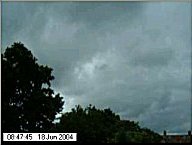
|
Letting other people see it
We'll return to the subject of suitable video software in a moment because, at this point, you need to decide how other people will see the images which, in turn, will dictate the type of software you choose.
© Copyright